

Granting Metaobject Permissions for Metafield Syncing
Authorize Synkro to sync metaobject reference metafields by updating store-level sync settings in each of your connected stores.
Created on May 5, 2026
I have created a new metaobject-reference metafield in my stores, but Synkro has not started syncing the metafield data. What do I need to do to get this working?
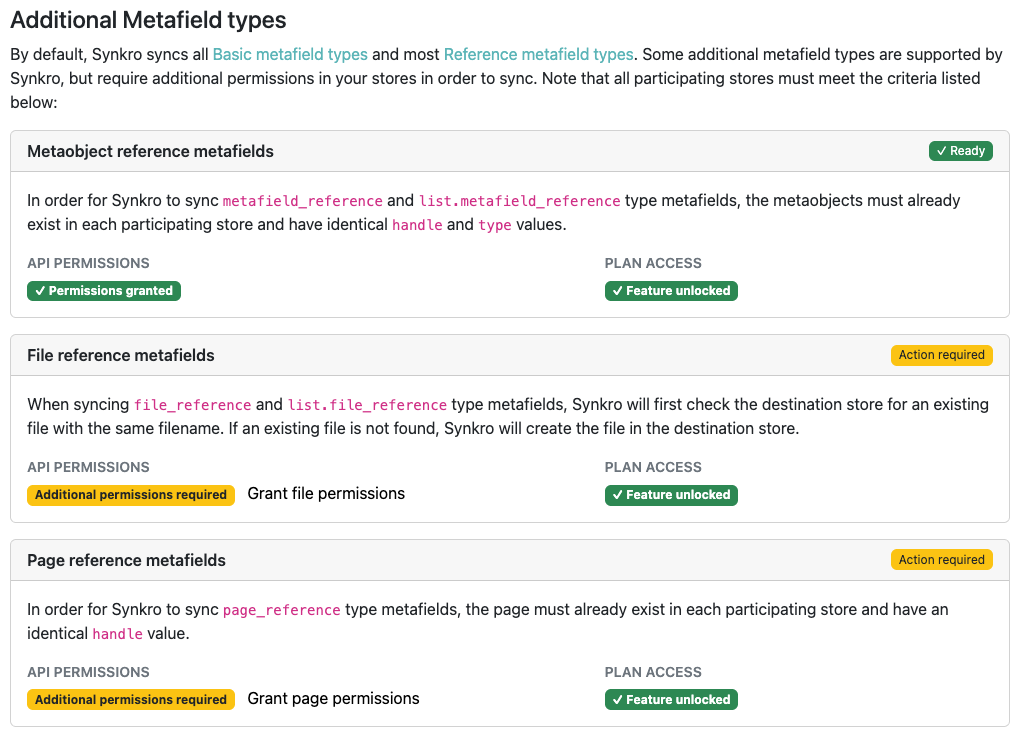
Before Synkro can start syncing metaobject metafields, it will require some extra permissions. You can grant those permissions by following these steps in each of your stores.
- Navigate into the
Synkro settings > Store-level sync settings. - Scroll down to the
Additional Metafield typessection. - Click on the
Grant metaobject permissionslink.
Once that is completed in each of your stores, you can test by changing the metaobject reference metafield on a product in your primary store, then you should see Synkro sync the metaobject selection over to the child products in your child stores.